Contact faculty about their course readings
Select the courses, and WyderNet drafts one email per instructor that covers all of their courses: what the library already provides and what needs their input. You edit it and send it.
fill
One product. This is one step in the same workflow.
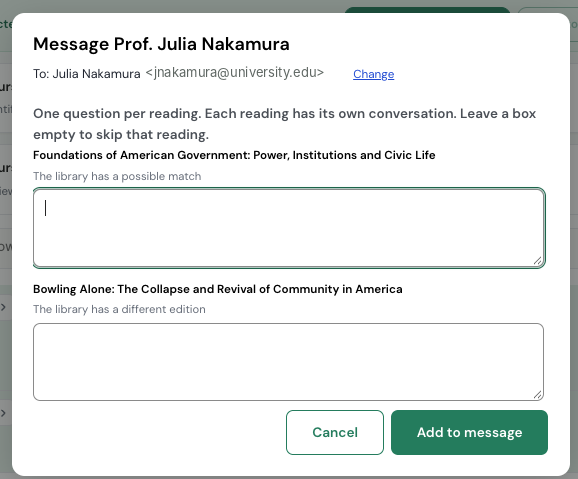
Sample data: the Message faculty window

Sample data: the faculty view
What it does
- You select courses, or filter to the ones with gaps or open questions.
- WyderNet drafts one email per instructor, covering each of their courses.
- You edit any text before sending.
- Faculty open the link in the email, with no account. They can review their readings, upload a syllabus, add readings from the library's catalog and request reserves.
- Reserve requests go to your reserves staff, and faculty replies come back to you.
What you control
Nothing is sent until you send it. You choose the courses and the wording, and you decide what happens with each request.
Good to know
- Faculty accounts: not needed.
- Reserves: requests go to your reserves staff. WyderNet works alongside your reserves system.