Publish a reading list for each course, with your library's links
Once a course's readings are checked, publish them as a course page for students. Each reading links to the library's copy, the copy on reserve, or the free online source.
publish
One product. This is one step in the same workflow.

Start from syllabi or a bookstore list. Each course gets its own reading list.
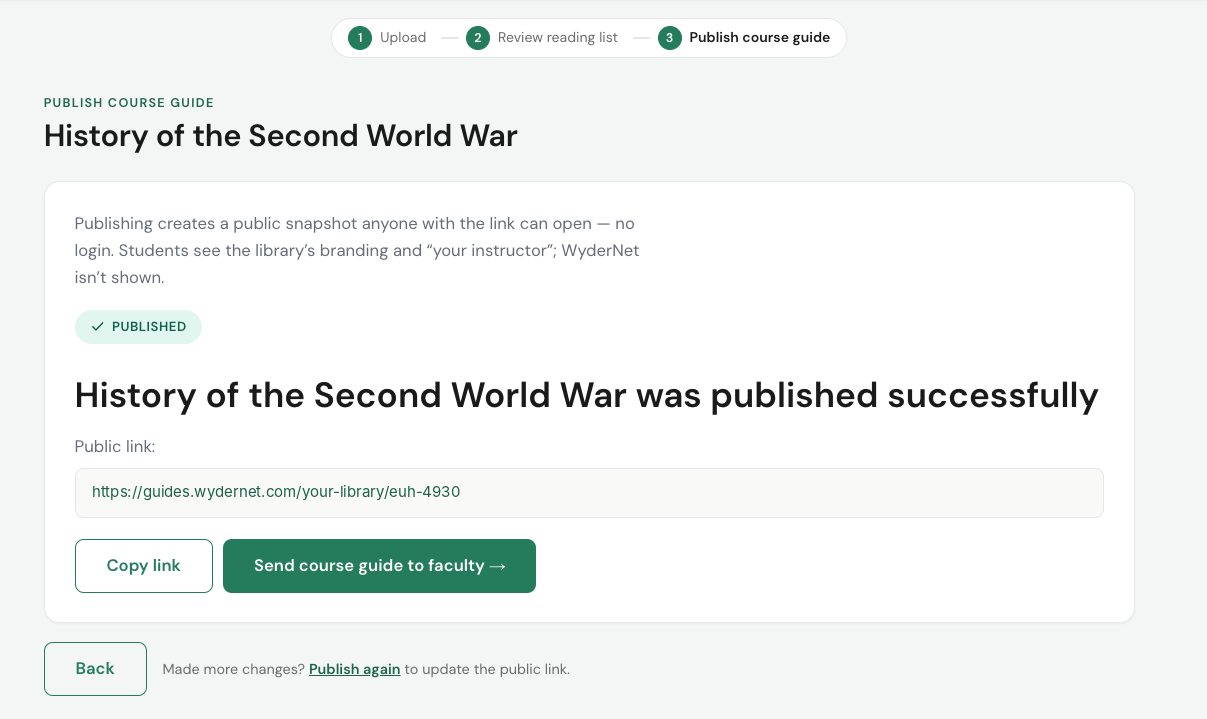
Sample data: a published course page and its link
What it does
- Publishes a course page with the readings you've reviewed.
- Links each reading through your library's own links and sign-in.
- Includes videos, podcasts and web pages the library doesn't hold, with the link from the syllabus.
- Can also publish one page for the term: the textbooks your library provides, from the bookstore list.
- Gives you a link to share with students, including in your learning management system.
- Shows how often students open the page and each reading.
What you control
Nothing is published until you publish it. Your library's name and text appear on the page.
Good to know
- Access: through your library's links and sign-in. WyderNet links to readings; it doesn't copy them.
- Student data: none. Use is counted per page and per reading, not per student.
- Other tools: WyderNet works alongside course reserves and reading list systems.