From assigned readings to a course collection students can use
WyderNet connects what faculty assign to what your library provides. It checks the materials, flags questions and gaps, and gives librarians control over what students see.
From course materials to course collection
Start with the course materials you already have
Use bookstore adoption feeds, syllabi shared by faculty, or course materials from your LMS.
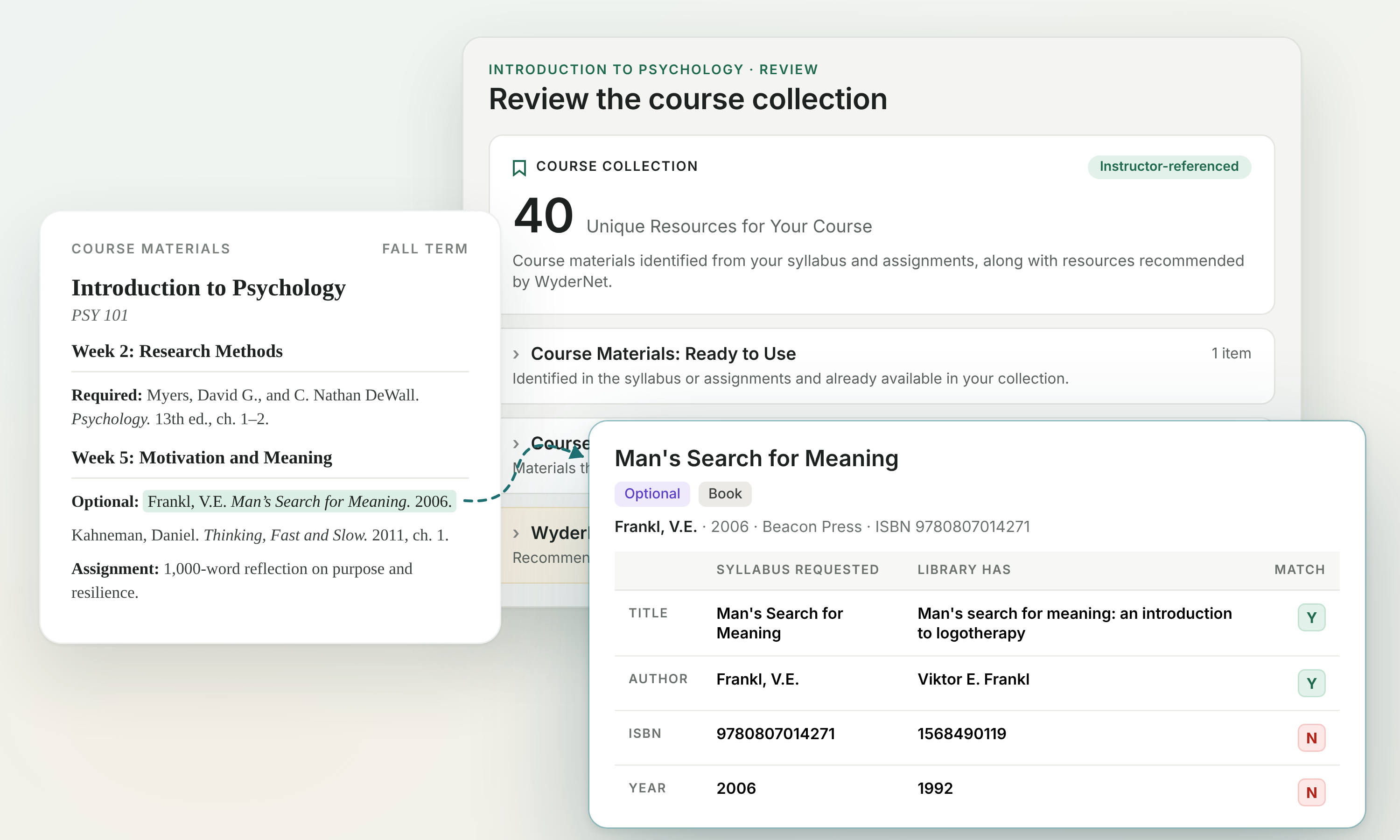
WyderNet identifies assigned textbooks, books, chapters, articles, and other readings, creating a list to check against your collections.
Faculty can also add their course materials directly in WyderNet and flag items for reserves.
Check your collections
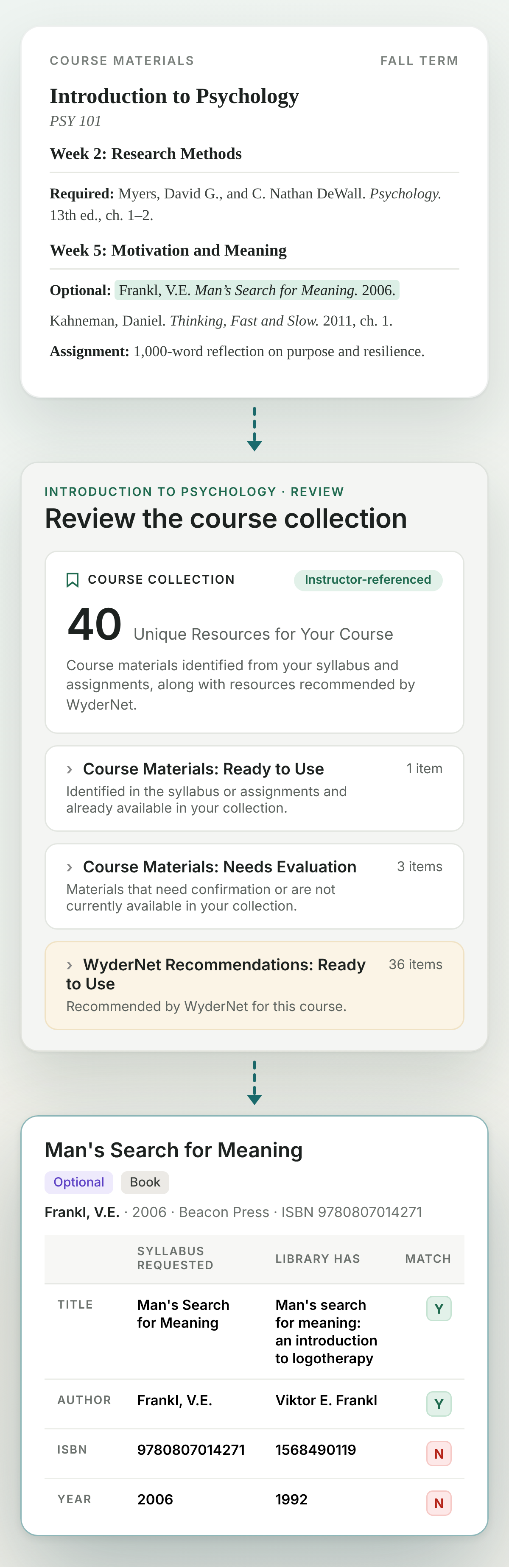
WyderNet checks assigned readings against your holdings, including edition and format, and shows which results need a librarian’s attention.
A matching resource is available in your collections.
A potential match needs review, for example a different edition or format.
The reading needs another route to access, such as an open alternative, interlibrary loan, or a purchase.
Review matches and resolve gaps
Your librarians confirm uncertain matches and decide how to address missing materials or access limitations.
Review the assigned edition, consider an ebook or another format, identify an open alternative, or use your existing acquisitions and interlibrary loan workflows.
When instructor input would help, send an item for review. Faculty review is optional.
Enrich the course
Once the readings are in place, WyderNet looks at the course as a whole and suggests other relevant materials for that set of readings.
Your librarians decide what to add to the course collection.
Publish one link per course
Give students a course collection with assigned readings, direct access links, and librarian notes.
Students can open the course collection without logging in. Access to licensed library resources may still require institutional sign-in.
Faculty can share the course link through the syllabus or LMS.
See how a course becomes library-ready
WyderNet identifies the materials assigned in a course, checks each one against your collections, and shows which are available to students.
See the pattern across courses
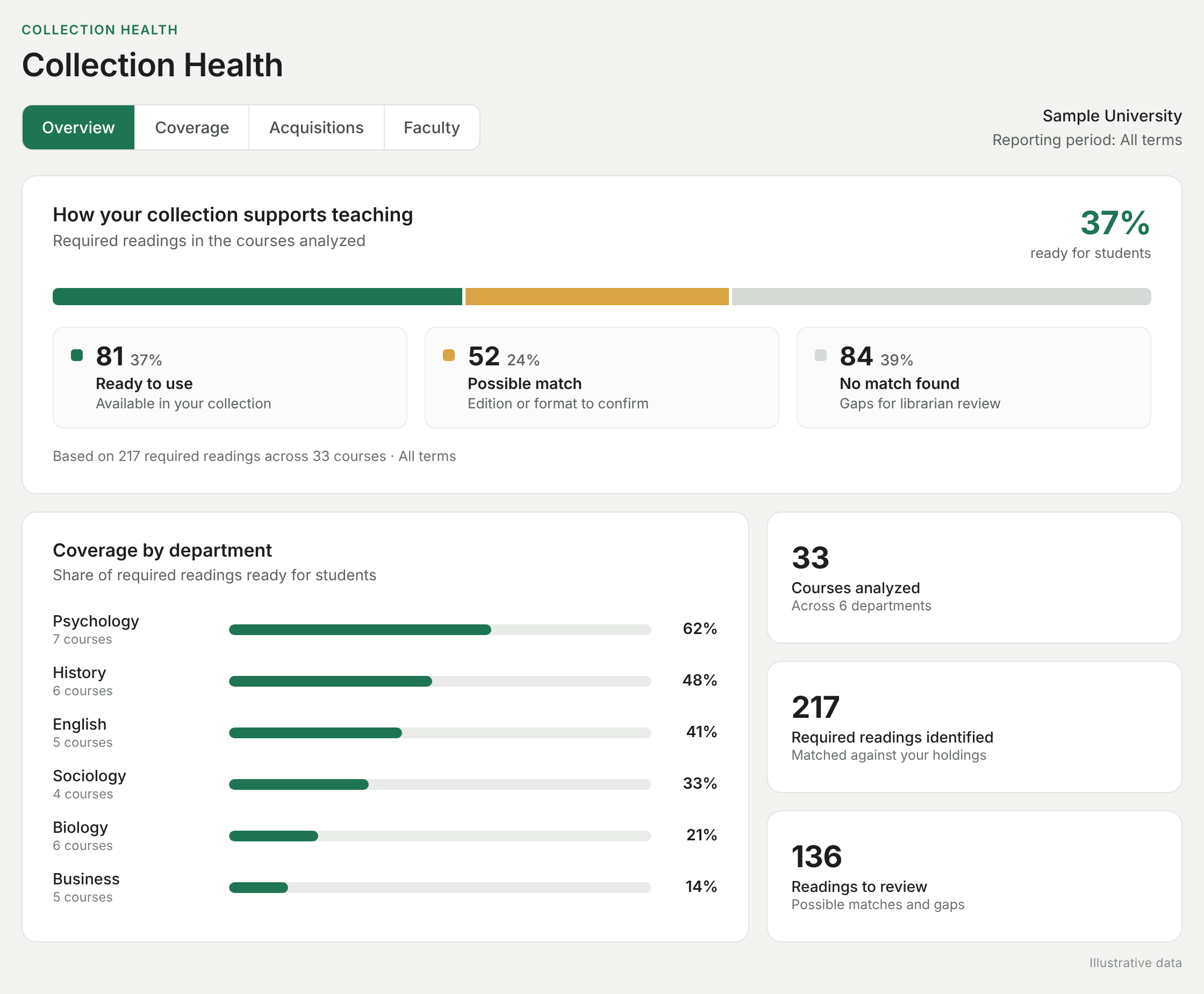
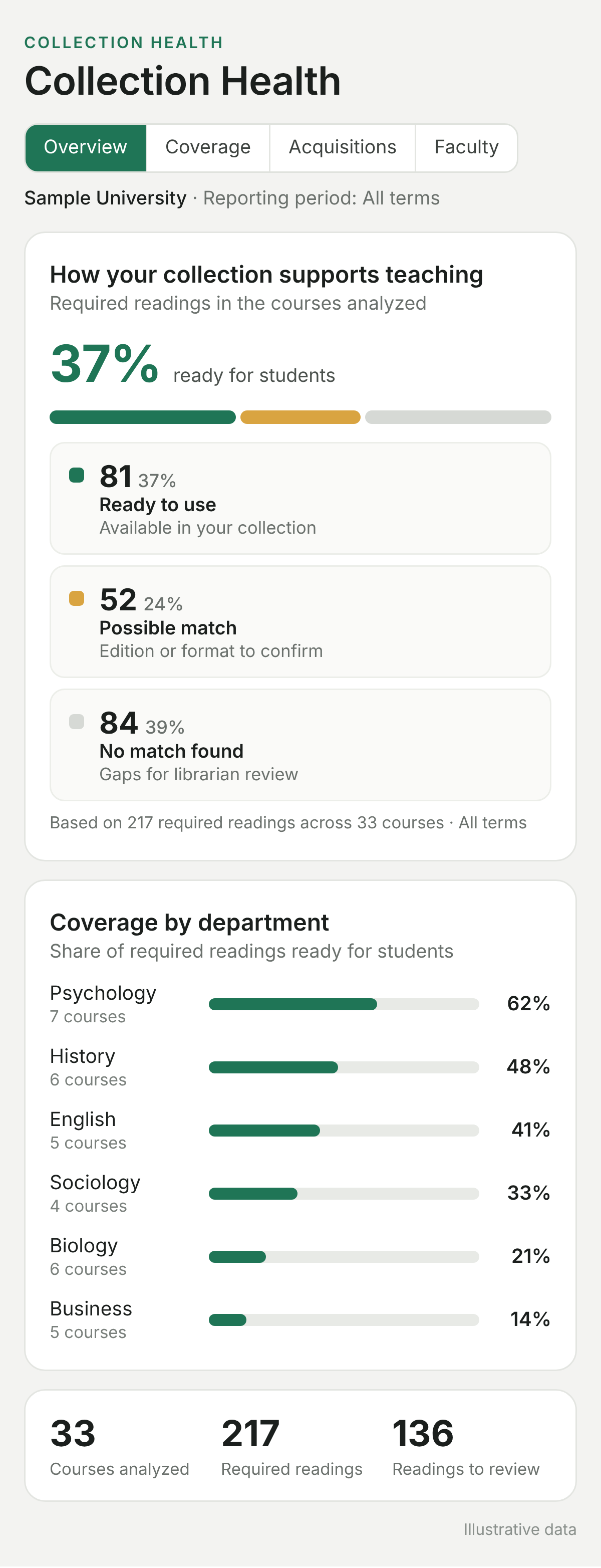
Bring individual course results together to understand collection coverage by department and identify recurring gaps.
See where library access or OER alternatives can reduce textbook costs, and which resources support multiple courses.
Questions
Common questions
How does this fit with reading lists and course reserves?
WyderNet works alongside those tools. It starts with existing course materials, checks them against your collections, and helps your team understand what students can access and what still needs attention.
Can it help assess no-cost or low-cost courses?
Yes. WyderNet checks every assigned item, including chapters and articles, against your library’s collections, and helps your team find open access and OER alternatives for what’s missing. Your institution makes the no-cost or low-cost call.
See the workflow in action
Explore how WyderNet moves from a course materials list to a published course collection.